
HDA1: wiring diagrams and checks
A reference preserving community wiring diagrams from the original manual.
Scope as of 2026-10-30: these physical vehicle pinouts were not validated in preparing this guide. Compare with service wiring diagrams matching the vehicle, year, connector and ECU, and with the current harness specification. Historical purchase links and part information are not current stock or suitability recommendations.
Check the current branch first
- Identify actual CAN / CAN-FD, HDA/ADAS configuration and connection point.
- Verify camera/ADAS harness pins, CAN High/Low and power using service information.
- Evaluate
HyundaiCameraSCC,CanfdHDA2andEnableRadarTracksfor the current interface and wiring. - Back up settings and, while parked, check vehicle recognition, gear, pedals and CAN errors.
Historical bulk setting values are not current recommended presets. A radar display or enabled CAMERA SCC does not validate longitudinal control, preserved AEB or wiring suitability.
Vehicle configuration · CAMERA SCC modes · Radar support.
Preserved historical diagrams and instructions
Read this historical material separately from current setup instructions.
Parts
Male/female radar connectors, insulation-displacement connectors.
HDA1 needs the bumper SCC-module signals brought into the cabin, requiring bumper removal in this historical procedure.
Historical procedure
- Use Hyundai GSW · KIA GSW to locate C-CAN Low and High in the vehicle diagram.
- Compare the purchased male/female connectors against GSW and extend C-CAN High/Low with network cable or 20 AWG wire.
- The original historical text also describes cutting stock wiring if connectors are not purchased; this is preserved historical material, subject to the scope note above.
- Remove the bumper.
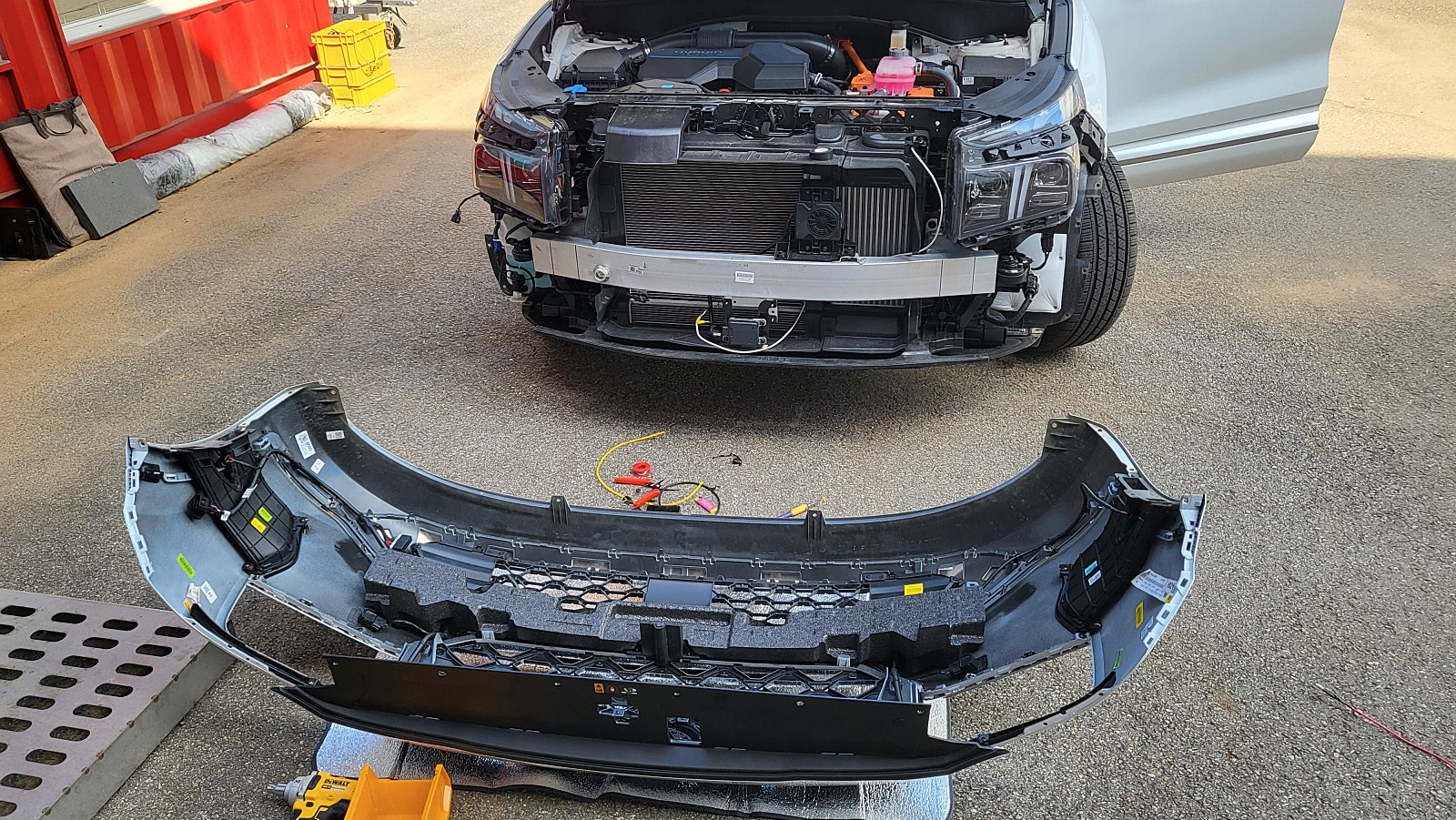
- Remove the black tape around the SCC-module wiring.
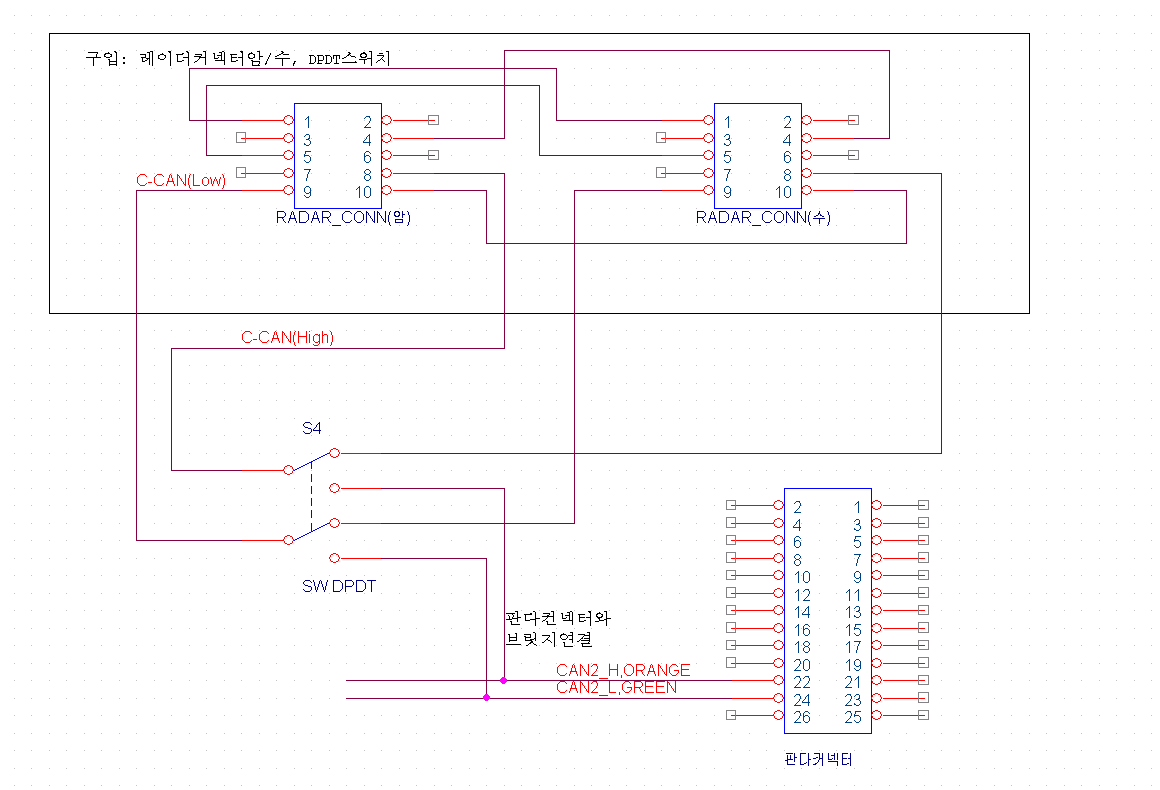
- Following the historical diagram, connect C-CAN High to comma harness pin 22 and C-CAN Low to pin 24. The original suggests insulation-displacement connectors for convenience.
Checks and records after work
Record before/after harness photographs, parts, model year, settings and commit. Stop using the configuration if errors or recognition mismatches occur and seek validation for the same configuration. Retain diagram credits and recheck connector orientation/pin numbers against the actual part.
Source reference
Reference checked 2026-10-30 · carrot-wip · 10bf0a56.
README.md · opendbc_repo/opendbc/car/hyundai/interface.py · openpilot/selfdrive/carrot_settings.json
The development branch continues to change. Check your device’s branch, commit and current settings together.